Handling Different Content Types & Error Handling in Express
Serving Different Content Types in Express 
Express allows you to serve various types of content, including HTML, EJS, and CSS. Let's explore how to serve these files efficiently by using Express.
Why Do We Need Static Files?
Static files like CSS, JavaScript, and images make websites look better and work smoothly. CSS adds colors and styles, while JavaScript makes the page interactive. Without them, websites would look plain and not respond to user actions. Express helps serve these files so the website loads correctly and works as expected.
Serving Static Files (CSS, Images, JS)
To serve static file such as CSS, JavaScript, and images, use Express's built-in express.static middleware.
- Create a
publicfolder inside your project and place your static files (e.g.,styles.css,script.js,images/) - Tell express to use the
publicfolder:
Tip
Always define your static file directory before routes to avoid conflicts.
Now, your CSS, JavaScript, and image files can be accessed directly in the browser.
Using EJS for Dynamic Content
EJS (Embedded JavaScript) is a template engine that lets you insert dynamic content into HTML. Instead of writing multiple HTML files for different pages, EJS allows you to reuse a single template and pass data to it. This makes your web app more flexible and efficient.
First, install EJS by using your console:
views folder and an index.ejs file inside it:
<!DOCTYPE html>
<html>
<head>
    <title>My Express App</title>
    <link rel="stylesheet" href="/styles.css">
</head>
<body>
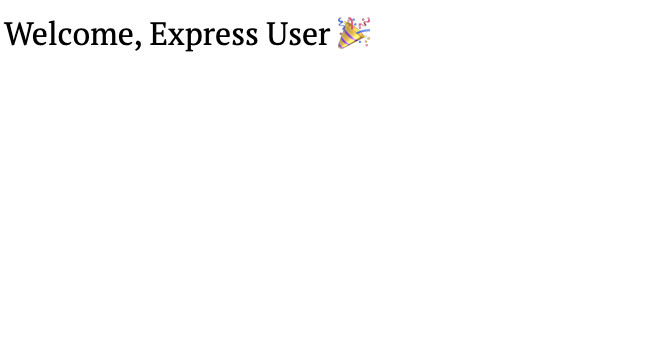
    <h1>Welcome, <%= name %>🎉</h1>
</body>
</html>
http://localhost:3000, it will display: Welcome, Express User 
Success
Error Handling & HTTP Status Code 
When handling requests, it's important to return proper HTTP status codes to indicate success or errors.
Common HTTP Status Codes

200 OK - Request was successful

404 Not Found - The requested resource does not exist

500 Internal Server Error - Something went wrong on the server
Handling 404 Errors
If a user tries to access a page that doesn't exist, return a 404 response:
Handling Server Errors
For handling unexpected errors, use an error-handling middleware:
app.use((err, req, res, next) => {
    console.error(err.stack);
    res.status(500).send("500 - Internal Server Error");
});
Note
err: This represents the error that occurred in the application. Express passes the error to this function when something goes wrong.
next: This allows the function to pass the error to the next middleware in the stack if needed, but in this case, we are handling it directly by sending a response.
Danger
Never expose sensitive information in error messages.
Success
If you followed the steps, your Express app should now be serving HTML, EJS, CSS, and handling errors correctly.
This page provides a foundation for handling different content types and errors in Express.