Handling simple routes (GET, POST)
Welcome to routing in Express 
Routes in Express define the endpoints of your web application. Each route specifies an HTTP method (GET, POST, etc.) that the server responds to. When a request is made to a route, Express executes the associated function to handle the request and send a response.
Example
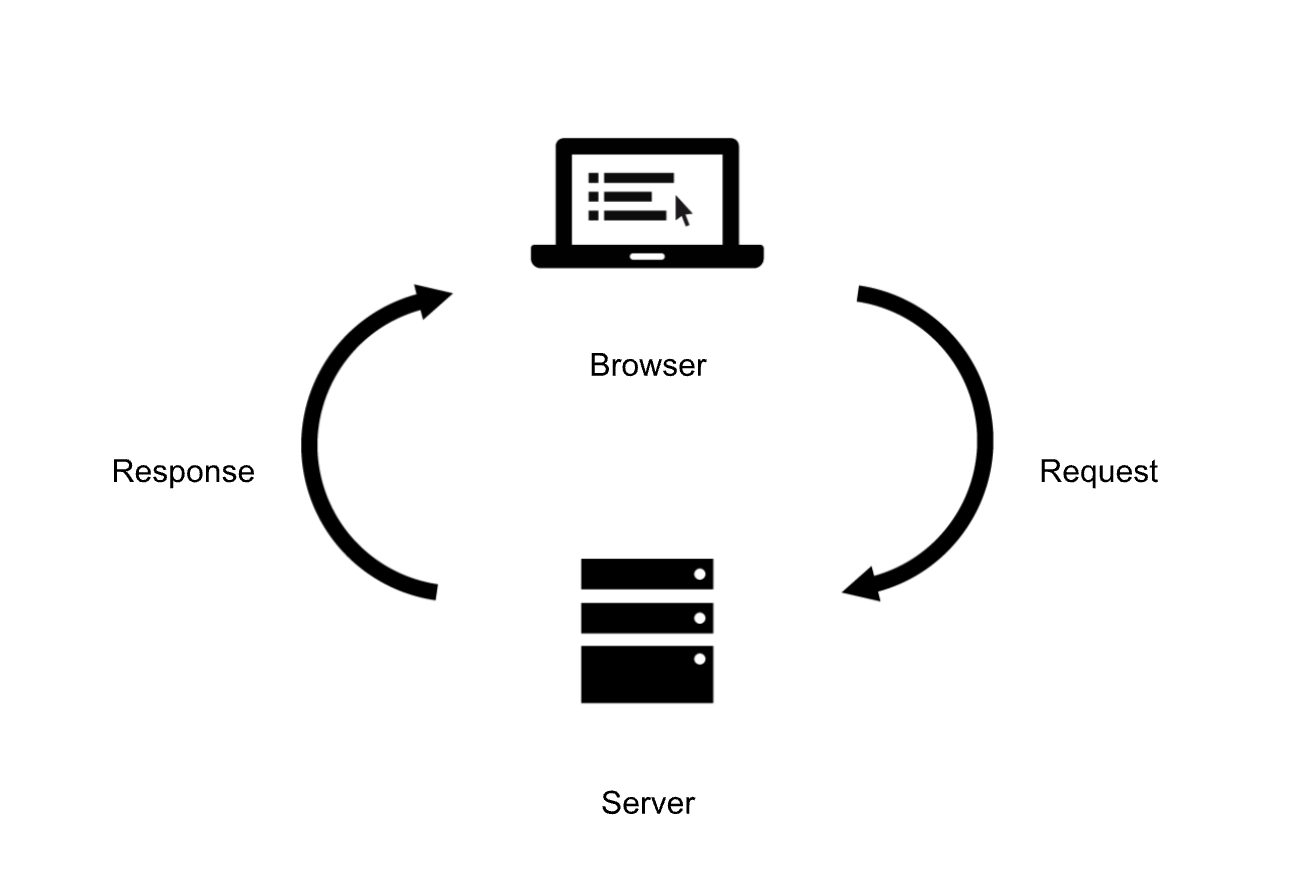
You do not have to understand the topic in depth to follow the tutorial, but simply this is how it works:
Request and response are the GET/POST methods that we will be assigning. Server is your computer & your code and browser is your browser.
Difference between GET and POST
GET
GET requests are used to retrieve data from the server. Multiple identical requests should have the same effect as a single request.
For example, if you request go to this website from your phone and from your laptop, you will get the same information on the same page and url.
POST
POST requests are used to send data to the server to create or update a resource. Multiple identical requests can have different effects.
For example if you login into your account, and someone else logs into theirs, you both will not get the same profile shown.
Lets start routing
GET request
Lets start by creating a GET request to get a simple form to display. Replace your basic route that sends hello world with this code:
app.get('/', (req, res) => {
res.send(`
<form action="/submit" method="POST">
  <label for="name">Name:</label>
  <input type="text" id="name" name="name">
  <button type="submit">Submit</button>
</form>
`);
});
Notice how we used
app.get? This is how you tell express whether you want to use GET method or POST.
Now run it (node server.js) and go to localhost!
Danger
If you have not stopped hosting the
server.js file, it will not auto-update.
To update stop hosting using control+c
Windows
Ctrl c
Mac
^c
After that run node command again. (node server.js)
Success
If you have done everything successfully, you should see the following:

POST request
Now, start by adding another route as well as middleware which we need for POST to work. The middleware is basically a supporting function that the request or repsonse would go through before reaching its final destination. Lets add the middleware before our GET route and a POST route right after our GET request.
The middleware in this case is to allow us to use the information that the user inputs to be take out of body of the request and used.
Add the following:
    // Middleware to parse the body of POST requests
    app.use(express.urlencoded({ extended: true }));


    // YOUR PREVIOUS CODE **********
    app.get('/', (req, res) => {
    res.send(`
    <form action="/submit" method="POST">
      <label for="name">Name:</label>
      <input type="text" id="name" name="name">
      <button type="submit">Submit</button>
    </form>
    `);
    });
    // *****************************


    // Define a POST route to handle form submission
    app.post('/submit', (req, res) => {
    const name = req.body.name;
    res.send(`Hello, ${name}!`);
});
If you did everything right, you should see something like this:
Success
Of course instead of "John Doe", it will be your name.

Thats it, as easy as that!
Tip
Idealy, you do not want to use res.send in a POST request. Because if you go back, refresh and try going to /submit again, you will get an error.
This is because you are not sending a POST request, but rather trying to GET /submit route. Using res.redirect with another GET route would make your POST request stay there
Example: Instead of your POST request, use:
// Define a POST route to handle form submission
app.post('/submit', (req, res) => {
const name = req.body.name;
res.redirect(`/success?name=${name}`);
});

// Define a GET route to display the success message
app.get('/success', (req, res) => {
const name = req.query.name;
res.send(`Success! Hello, ${name}!`);
});